


Astraware Wordsearch
4.560.00 Reviews
App Specs
- Version
- 2.93.002
- Updated On
- License
- Free
- Downloads
- 10,000+
- Developer
- Astraware Limited
- Categories
- Word
- Platform
- Android
Screenshots
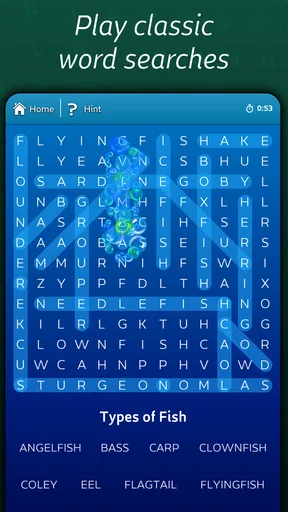
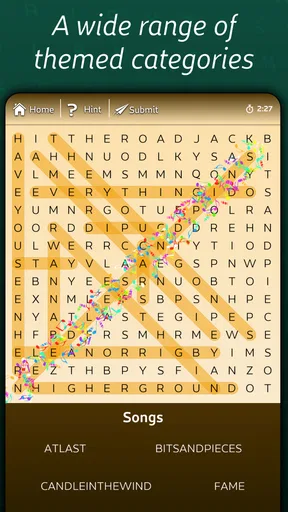
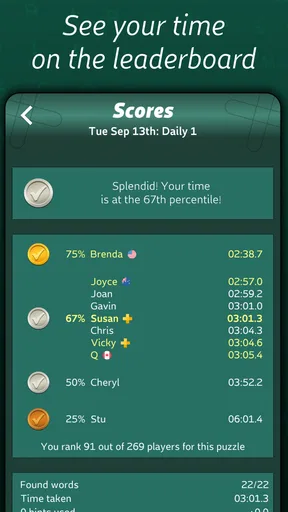
 Analysis by AppCompare
I found Astraware Wordsearch most enjoyable as a small, shared-device game rather than as a deep solo hobby. It is a word game from Astraware Limited built around spotting hidden words quickly, and that simple idea works particularly well when two people are taking turns with the same phone or tablet. One person can search while the other watches, suggests a direction, or challenges a fast find. There is no complicated setup to explain, so it is easy to hand the device to someone else without turning the moment into a tutorial.
The important thing is to approach it for what it is. This is not a vocabulary course, a long-form puzzle adventure, or a word-building game where you create answers from letters. The appeal is visual attention, recognition, and speed. I enjoyed the short bursts because I could start playing without preparing anything, but I also noticed that the format can feel repetitive if I want a larger sense of progress. For the right household, that narrow focus is a strength; for someone seeking a substantial campaign, it may feel too limited.
How Astraware Wordsearch works on a shared device
When I share a device for a quick wordsearch, I find it helps to agree on the rhythm before the first puzzle: one person holds the screen, while the others offer a hint only when asked. That keeps the letter grid readable and gives each player room to think instead of turning the search into a chorus of guesses. It also sets up a useful next question: how can a group keep the game welcoming when players have different speeds?
A good fit for quick turns and informal competition
In a shared-use situation, the game’s clearest advantage is its low barrier to entry. A parent can pass the phone to a child, siblings can alternate turns, or friends can compare who can finish a puzzle more efficiently. Nobody needs to remember a complicated control scheme. The central action is finding words hidden in a letter grid, so the person holding the device can begin almost immediately.
I would use it during a waiting period, after dinner, or on a journey when people want something interactive but do not want to commit to a large multiplayer game. A realistic household routine might be one person taking a turn while another handles a small task, then swapping places. That makes the game more flexible than an activity that requires everyone to be present at the same time.
There is also a useful difference between playing alone and playing with an audience. Alone, I pay attention to my own scanning habits and try to improve my speed. With another person nearby, the grid becomes something to discuss: “look near the corner” or “try reading that line backward.” That shared observation gives the straightforward design more social value than the store wording alone suggests.
Why the visual search remains engaging
Wordsearch puzzles look easy until the grid starts to blur into a wall of similar letters. I found that the game rewards a deliberate search pattern more than random tapping. I usually scan horizontally first, then vertically, and only afterward look diagonally or in reverse directions. That method reduces the feeling of staring helplessly at the board and makes improvement feel practical rather than mysterious.
Worth Reading Before You Choose

EA SPORTS FC Mobile 26 Is a Bigger Football Game, but It Takes Time

Flipboard Shows What News Apps Must Do Beyond the Feed

Switching to Android Auto Means Rethinking Your Driving Routine

Google Calendar Makes a Crowded Week Easier to Manage

Ludo King Makes the Most of the Minutes Between Plans

Baby Panda World Brings Quick Play to Modern Phones, but Its Game Library Feels Busy
For a shared device, this also creates a natural way to coordinate without arguing over the answer. One player can scan rows while another checks columns, although only the person holding the device can complete the interaction. That division of attention works especially well with an older child and an adult, because the adult can encourage a method without simply solving the puzzle.
The best household use is cooperative speed practice, not forced competition. If one player is much faster, a strict race can make the slower person stop enjoying the game. Taking turns, allowing hints through conversation, or treating the puzzle as a joint search keeps the activity welcoming while still preserving the satisfaction of a quick find.
What I would decide before installing it
The game is free to install, which makes trying it on a family or shared device straightforward. It is listed for Everyone, so its basic age positioning is broad and suitable for general household use. I would still choose the player based on patience and visual comfort rather than relying only on an age label. A young child who enjoys letters may like it, while a child who dislikes slow visual searching may abandon it quickly.
The current version is 2.93.002, and the minimum operating-system requirement is iOS 9. That gives the game a relatively accessible technical profile for compatible devices, although compatibility is only one part of the decision. On an older phone with a small screen, a crowded letter grid may be less comfortable to inspect than on a tablet. Before making it a shared household activity, I would test whether everyone can read the letters comfortably without leaning over the screen.
In-app purchases range from $0.99 to $7.99 per item. Since the game can be started without paying, I would treat those purchases as a boundary-setting issue on a shared device. The practical step is simple: the device owner should know how purchases are handled before handing it to a child or guest. I would not assume that “free” means every optional element is permanently outside the purchase flow.
Boundaries matter more than extra settings
A shared device often has several users but one account holder. That distinction matters here. The game may be used by a child, a parent, and a visitor, yet the installation and any purchase decisions belong to the person managing the device. I would make that clear before play: everyone can enjoy the puzzle, but only the owner decides whether anything is bought.
I also recommend agreeing on what counts as a turn. Does a player get one uninterrupted attempt? Can somebody point at the screen? Is calling out a word allowed? These are not app controls; they are household rules, and establishing them prevents the small game from becoming an unnecessary disagreement. For younger players, an adult can keep the session relaxed by treating mistakes as part of scanning practice rather than as failures.
Because this is a word game rather than a communication or social network app, it is easy to keep the activity contained to the people physically sharing the device. That can be reassuring for a household that wants an offline-feeling moment together. At the same time, I would avoid promising a separate profile or child-specific area unless the device experience clearly provides one. The safest approach is to think of it as one game being used by several people, not as several private accounts inside one game.
Coordinating turns without losing the pace
Speed is part of the appeal, but speed also creates the main coordination problem. If several people shout possible words at once, the player may lose track of the grid. I had better results when one person searched and the others offered only short, specific guidance. Saying “third row, near the right” is more useful than naming several guesses in rapid succession.
For two players, alternating complete attempts is the cleanest arrangement. For a group, I would use a rotating holder: each person gets a turn with the device, while everyone else observes. This avoids the awkwardness of multiple hands reaching for the same screen and gives quieter players a clear opportunity to participate. It also makes the game suitable for a mixed-age group, because the youngest player can have a full turn rather than merely watching an older sibling dominate.
Another effective approach is to change the goal. Instead of asking who finishes first, ask who can find a particular direction or who can improve their own previous search routine. That turns the game into a small attention exercise. It is especially helpful when one player already has strong pattern-recognition skills and another is still learning to move methodically across the grid.
Age, trust, and the adult’s role
The Everyone rating makes the game easy to consider for a broad audience, but trust still depends on supervision and device habits. I would be comfortable introducing it to a child who understands basic shared-device rules: handle the phone carefully, do not make purchases without permission, and return the device when the turn ends. The game itself is simple enough that an adult can explain the activity in a few sentences.
For an older person, the main question is readability and pace. Someone who enjoys word puzzles may appreciate the uncluttered goal, but a small display or fast time pressure could make the experience tiring. A tablet can make group viewing easier, while a phone is more convenient for a quick individual session. I would let the player decide whether the visual demand feels pleasant rather than assuming that a familiar puzzle format works equally well for every age.
Trust also means being honest about the purchase model. A child may reasonably hear “free game” and assume there is no payment involved. I would explain that optional in-app items can cost between $0.99 and $7.99, then keep the device owner in charge of any transaction. That conversation is more useful than simply handing over the phone and hoping the child knows where the boundary is.
How it compares with other word-game choices
Compared with a crossword, this game asks for faster visual recognition and less general knowledge. A crossword is better when I want clues, definitions, and a slower reasoning process. Compared with a word-building game, this one does not center on inventing words from a rack of letters or planning a high-scoring play. Its satisfaction comes from locating what is already hidden.
That difference helps explain who should choose it. If you want a calm, familiar puzzle that can be shared in short turns, the format is approachable. If you want a persistent competitive ladder, a rich story, or a large strategic system, a different word game will probably hold your attention longer. Astraware Wordsearch is strongest when the activity itself is enough, without needing a broad progression structure around it.
The free entry also changes the comparison. A person curious about wordsearch puzzles can try this without committing money upfront, while the in-app purchase range means the household should still pay attention to optional spending. I see that as a reasonable trade-off for casual use, but not as a reason to choose it over a paid puzzle app if you specifically prefer a single purchase with no additional decisions.
Small techniques that improve the experience
My first practical tip is to divide the grid into zones. I scan one area completely before moving to the next instead of jumping toward every letter that looks promising. This is particularly useful when another player is giving directions, because both people can refer to the same part of the board rather than searching everywhere at once.
My second tip is to search for unusual letter combinations before common ones. A distinctive starting letter or an uncommon pair can act as an anchor, while a grid full of repeated vowels can waste time. In a household session, explaining that technique gives children something concrete to practice and keeps adults from solving every puzzle for them.
Third, I would separate “finding” from “finishing.” A player can first locate words without worrying about the fastest possible result, then repeat the same style of puzzle with a more organized scan. This makes the game useful for gradual improvement and avoids making a new player feel that the timer, or the pressure of another person watching, is the whole point.
Finally, I would keep sessions short when attention starts to drop. Wordsearch depends on visual concentration, and continuing after the grid has become tiring does not make the game more enjoyable. A brief break can be better than turning a relaxed shared activity into a chore.
Where the game may disappoint
The focused design can become its biggest weakness. I liked the immediate puzzle loop, but players who need constant novelty may find repeated searching less rewarding over time. The game does not become a different genre after a few sessions; its central pleasure remains the same. That makes it dependable for casual use, but it may not provide enough variety for someone looking for a main game.
It is also not an ideal choice for a household that wants detailed player separation. I would not install it expecting a full family-management system, private progress areas, or a structured way to coordinate several individual accounts. The better mindset is shared ownership of the activity, with the device owner managing practical matters such as purchases and access.
Screen size is another real consideration. On a compact phone, several people may struggle to watch at once, and a player with less comfortable eyesight may find the grid demanding. A larger screen improves group participation, but it reduces the convenience of pulling out the game for a quick personal turn. That is a device trade-off rather than a flaw unique to the puzzle, yet it directly affects whether the shared-use idea works in practice.
My household verdict
Astraware Wordsearch earned its place as a lightweight word game because it is easy to understand, quick to share, and free to try. Astraware Limited has kept the concept focused: look carefully, find the hidden words, and work on doing it more efficiently. The average rating is 4.5 from over 400 ratings, and there are more than 50 written reviews, which fits my impression that the straightforward format appeals to people who want a familiar puzzle rather than a complicated system.
It has also reached over 10 thousand installs, so it feels like an established casual title rather than an obscure experiment. That does not guarantee that every household will enjoy it, but it makes the game easier to consider when I want something uncomplicated for a compatible device. Its Everyone content rating and free starting price lower the friction, while the optional purchase range is a reminder to set account boundaries before children use the device.
I would recommend it to a household that enjoys taking turns, comparing search methods, and filling a few spare minutes with a visual puzzle. I would skip it for a player who wants deep word knowledge, a long campaign, extensive personal progression, or a strong multiplayer structure. My final view is positive but specific: this is at its best as a friendly shared-device puzzle with clear household rules, not as an all-purpose word-game replacement.
Pros
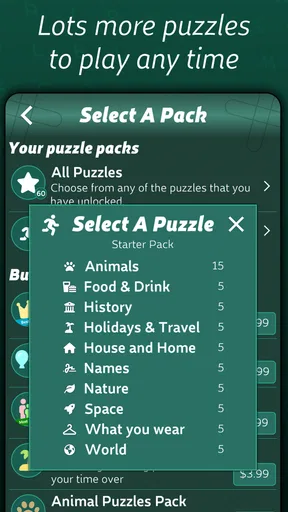
- Large variety of themed puzzles keeps gameplay fresh.
- Simple controls make it easy to play on phones and tablets.
- Helpful hint options reduce frustration when a word is difficult.
- Offline play is convenient for travel or areas without internet.
- Relaxing pace suits casual players who dislike timed challenges.
Cons
- Some puzzles may feel repetitive for experienced wordsearch fans.
- Small letters can be difficult to read on compact screens.
- Hints and extra content may be limited without in-app purchases.
- The interface feels less modern than newer puzzle apps.
- Players seeking competitive multiplayer features may find it lacking.
FAQs for Astraware Wordsearch
What is Astraware Wordsearch?
Astraware Wordsearch is a word puzzle game for Android and iOS in which you search for hidden words within letter grids. It is designed for casual play, with straightforward controls and a relaxing format that suits short sessions or longer puzzle-solving breaks. The game focuses on finding words rather than managing complex rules, making it accessible to a wide range of players.
How does the gameplay work in Astraware Wordsearch?
Each puzzle presents a grid filled with letters and a list of words to locate. Words may appear horizontally, vertically, diagonally, and in reverse directions, so you need to examine the board carefully. When you find a word, you generally drag across its letters to mark it. The objective is to discover every listed word before completing the puzzle.
Is Astraware Wordsearch suitable for beginners and children?
Yes, Astraware Wordsearch is generally easy for beginners to understand because it does not require complicated controls or prior gaming experience. However, difficulty can vary depending on the grid size, word length, and how well words are concealed. Parents should still check the specific store listing and device settings, especially if children may encounter advertisements or optional purchases.
Can Astraware Wordsearch be played offline?
Wordsearch games are often suitable for offline play once the necessary content has been installed, which can make Astraware Wordsearch convenient during travel or when an internet connection is unavailable. Nevertheless, features such as advertisements, analytics, updates, cloud services, or in-app purchases may require connectivity. Check the current Google Play or App Store description for the latest offline limitations.
Is Astraware Wordsearch free to download?
The availability and pricing of Astraware Wordsearch can differ between Android and iOS, as well as by region and store version. Some editions may be free with advertising or optional purchases, while others may require an upfront payment. Before downloading, review the store page for the current price, in-app purchase details, supported devices, privacy information, and any subscription conditions.


